AFM for Azure Ingress/Egress traffic filtering and VPN tunneling > Class 1: AFM for Azure Ingress/Egress traffic filtering and VPN tunneling Source |
Configure BIG-IP Base Configuration
In this module of the lab, we will be configuring the BIG-IP Advanced Firewall Manager (AFM) with the initial network configuration. Additionally, we will configure the AFM with NAT policies to allow the internal application servers to communicate to the Internet.
BIG-IP Network Addressing
| Name | BIG-IP Interface | Azure Interface | IP Address | Note |
|---|---|---|---|---|
| EXTERNAL SELF PRIVATE | self_2nic | f5vm01-self (Primary) | 10.0.2.4 | local source for IPSEC |
| EXTERNAL SELF PUBLIC | self_2nic | f5vm01-self (Primary) | used as IPSEC ID | |
| OUTBOUND-IP PAT PRIVATE | none | ext-ipconfig0 | 10.0.2.10 | Egress NAT (Overload) in AFM |
| OUTBOUND-IP PAT PUBLIC | none | ext-ipconfig0 | source IP egressing Azure | |
| INBOUND-IP PAT PRIVATE | none | ext-ipconfig1 | 10.0.2.11 | ingress NAT (PAT) in AFM |
| INBOUND-IP PAT PUPLIC | none | ext-ipconfig1 | ingress destination IP in Azure | |
| INTERNAL SELF | self_3nic | f5vm01-ipconfig1 | 10.0.3.4 | local source for IPSEC |
| INTERNAL VIP | none | VIP1 | 10.0.3.7 | Internal VIP (VPN) |
| App1 | none | app1-ipconfig1 (Primary) | 10.0.3.5 | NAT target and pool (VPN) |
| App2 | none | app2-ipconfig1 (Primary) | 10.0.3.6 | NAT target and pool (VPN) |
- Copy and paste the table above to a text editor. Validate the predicted IP addresses and update with actual IP addresses from your environment if different. Fill in the missing public IP addresses. You will need to refer back to this table throughout the lab.
- Browse to BIG-IP GUI Network->Self IPs to capture external and internal nics and associated ip addresses

- Browse to Azure f5student#bigip-ext->ip config to capture BIG-IP Networking info, enable ip forwarding and then click Save

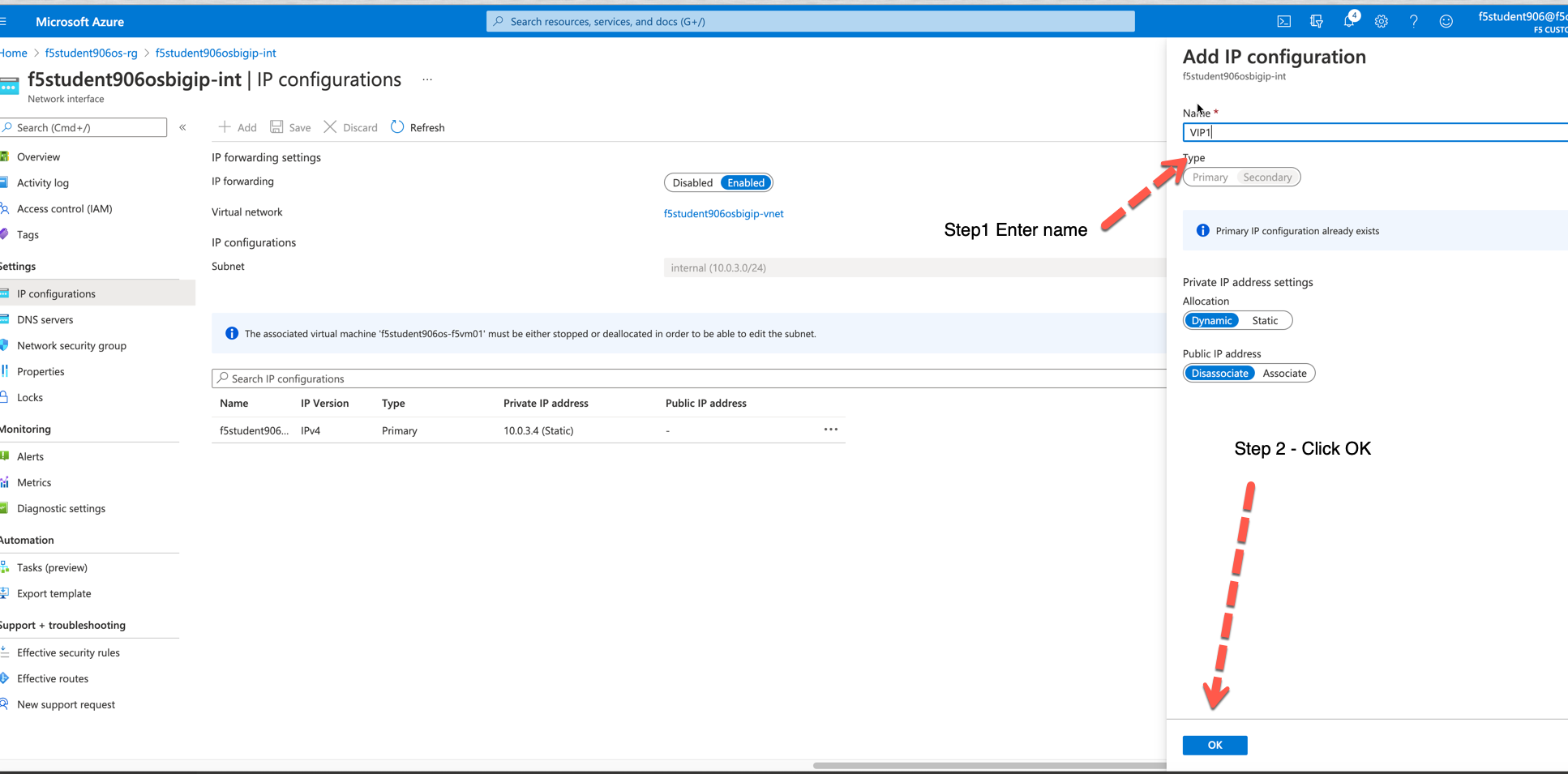
- Browse to Azure f5student#bigip-int->ip config to capture BIG-IP Networking info, enable ip forwarding and add Secondary IP
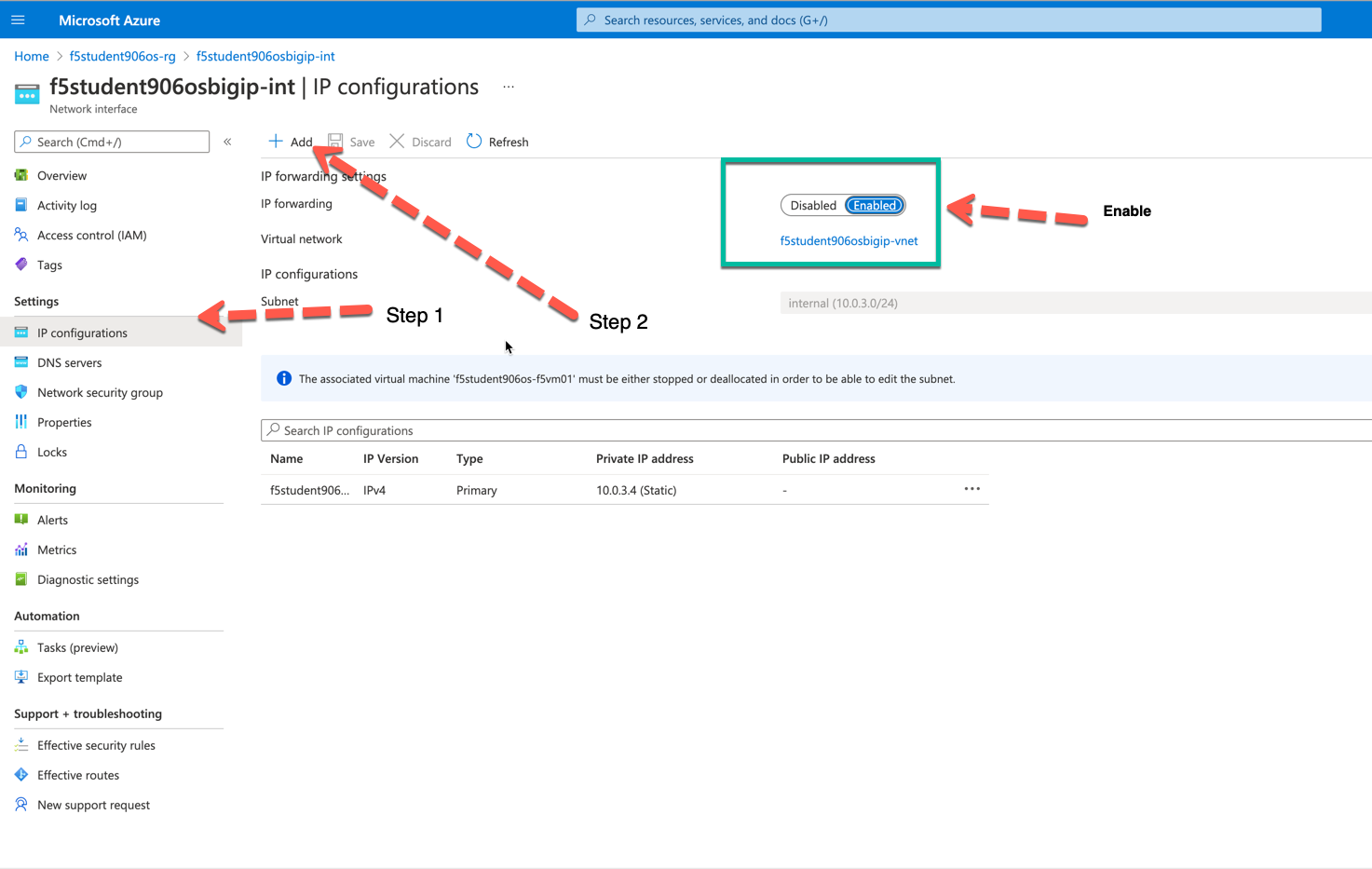
- Adding Secondary IP (VIP1)

- Connect to BIG-IP CLI.
- browse to Azure f5student#-f5vm01 and select "Serial console"
- login: azureuser
- password: ChangeMeNow123!

Configure SELF IP's to allow for VPN termination on external interface and allow none on internal interface
modify net self self_2nic allow-service replace-all-with { 50:0 udp:500 udp:4500 }
modify net self self_3nic allow-service none
Configure DB keys to allow Azure link local DNS and IP VPN termination
modify sys db config.allow.rfc3927 { value "enable" }
modify sys db ipsec.if.checkpolicy { value "disable" }
modify sys db connection.vlankeyed { value "disable" }
Configure local DNS cache for the F5 Firewall by getting the internal Self IP address from the table above. Replace 10.0.3.4 with INTERNAL SELF IP address from the info captured in the table above if different
create ltm dns cache resolver DNS_CACHE route-domain 0
create ltm profile dns DNS_CACHE { cache DNS_CACHE enable-cache yes enable-dns-express no enable-gtm no use-local-bind no }
create ltm pool AZURE_VNET_DNS { members replace-all-with { 168.63.129.16:53 } monitor tcp_half_open }
create ltm virtual DNS_CACHE_TCP { destination 10.0.3.4:53 ip-protocol tcp pool AZURE_VNET_DNS profiles replace-all-with { f5-tcp-progressive {} DNS_CACHE {} } vlans-enabled vlans replace-all-with { internal } }
create ltm virtual DNS_CACHE_UDP { destination 10.0.3.4:53 ip-protocol udp pool AZURE_VNET_DNS profiles replace-all-with { udp {} DNS_CACHE {} } vlans-enabled vlans replace-all-with { internal } }
create net dns-resolver LOCAL_CACHE { answer-default-zones yes forward-zones replace-all-with { . { nameservers replace-all-with { 10.0.3.4:53 } } } }
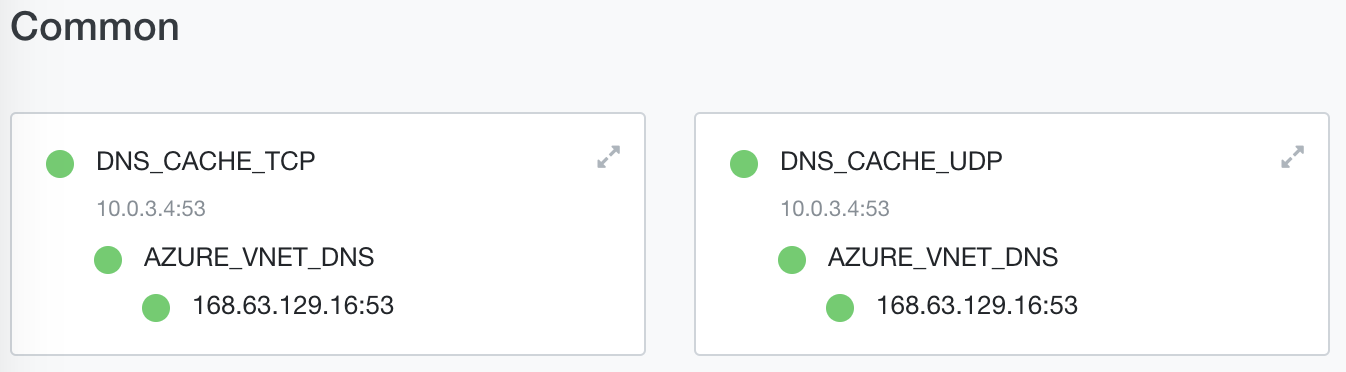
- Browse to BIG-IP GUI Local Traffic->Network Map to confirm two virtual servers and associated pool member was created
Configure FQDN resolution of AFM against Azure VNET DNS, Configure AFM local logging, etc.
modify security firewall global-fqdn-policy { dns-resolver LOCAL_CACHE }
GLOBAL LOGS : Set the global logging profile
modify security log profile global-network nat { end-inbound-session enabled end-outbound-session { action enabled elements replace-all-with { destination } } errors enabled log-publisher local-db-publisher log-subscriber-id enabled quota-exceeded enabled start-inbound-session enabled start-outbound-session { action enabled elements replace-all-with { destination } } } network replace-all-with { global-network { filter { log-acl-match-accept enabled log-acl-match-drop enabled log-acl-match-reject enabled log-geo-always enabled log-tcp-errors enabled log-tcp-events enabled log-translation-fields enabled log-uuid-field enabled log-ip-errors enabled log-acl-to-box-deny enabled log-user-always enabled } publisher local-db-publisher } }
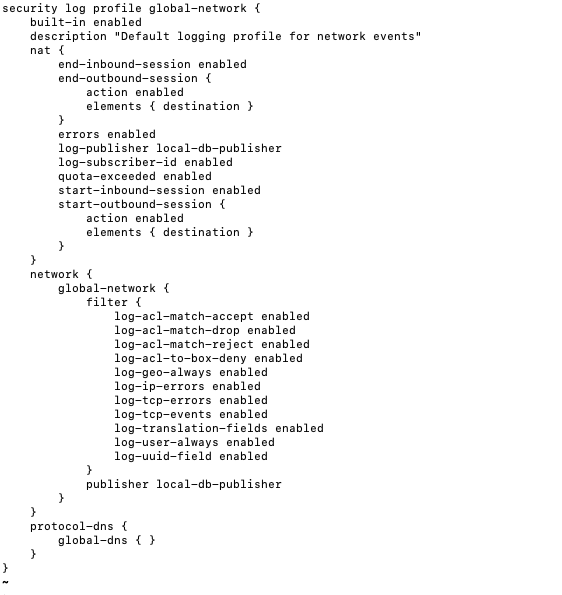
- Verify the changes were made to the profile
list security log profile global-network
Your configuration should match the image below.
Create a new logging profile called AFM-LOCAL
create security log profile AFM-LOCAL { nat { end-inbound-session enabled end-outbound-session { action enabled elements replace-all-with { destination } } errors enabled log-publisher local-db-publisher log-subscriber-id enabled quota-exceeded enabled start-inbound-session enabled start-outbound-session { action enabled elements replace-all-with { destination } } } network replace-all-with { global-network { filter { log-acl-match-accept enabled log-acl-match-drop enabled log-acl-match-reject enabled log-geo-always enabled log-tcp-errors enabled log-tcp-events enabled log-translation-fields enabled log-uuid-field enabled log-ip-errors enabled log-acl-to-box-deny enabled log-user-always enabled } publisher local-db-publisher } } }
View the changed profile
list security log profile AFM-LOCAL
Your output should look like the image below.
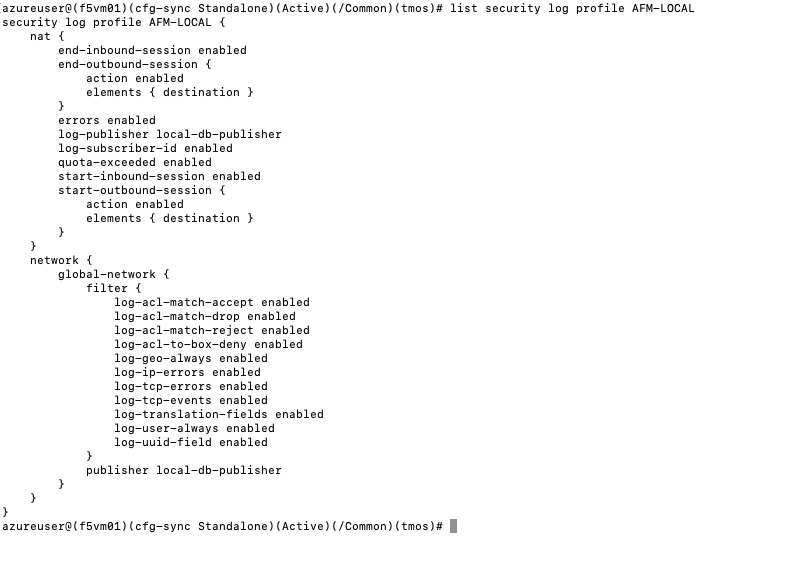
Configure MGMT Port AFM Rules. This will allow SSH and HTTPS to the MGMT address and deny everything else.
modify security firewall management-ip-rules { rules replace-all-with { ALLOW-SSH { action accept place-before first ip-protocol tcp log yes description "Example SSH" destination { ports replace-all-with { 22 } } } ALLOW-HTTPS { action accept description "Example HTTPS" ip-protocol tcp log yes destination { ports replace-all-with { 443 } } } DENY-ALL { action drop log yes place-after last } } }
Switch the F5 from ADC mode into Firewall mode
modify sys db tm.fw.defaultaction value drop
Configure basic AFM Policies and NAT Policies for initial outbound PAT via a single additional IP on the instance
- You will need the 1st additional External IP for the instace here. Please remember you need to use the private Azure IP and not the Public IP that get's nat'd to the instance via Azure. Replace 10.0.2.10 with the INTERNAL VIP from the table above if different.
create security nat source-translation OUTBOUND-PAT addresses add { 10.0.2.10/32 } pat-mode napt type dynamic-pat ports add { 1024-65535 }
create security nat policy OUTBOUND-PAT rules replace-all-with { RFC-1918-OUTBOUND-PAT { source { addresses add { 10.0.0.0/8 172.16.0.0/12 192.168.0.0/16 } } translation { source OUTBOUND-PAT } } }
create security firewall policy PUBLIC-SELF rules replace-all-with { ALLOW-ESP { ip-protocol esp action accept } ALLOW-IKE { ip-protocol udp destination { ports add { 500 } } action accept } ALLOW-NAT-T { ip-protocol udp destination { ports add { 4500 } } action accept } }
create security firewall policy OUTBOUND-FORWARDING rules replace-all-with { OUTBOUND-ALLOW { action accept log yes source { addresses add { 10.0.0.0/8 172.16.0.0/12 192.168.0.0/16 } } source { vlans replace-all-with { internal } } } }
create security firewall policy DNS_CACHE { rules replace-all-with { ALLOW-DNS-UDP { action accept ip-protocol udp log yes place-before first destination { ports replace-all-with { 53 } } source { addresses replace-all-with { 10.0.0.0/8 172.16.0.0/12 192.168.0.0/16 } vlans replace-all-with { internal } } } ALLOW-DNS-TCP { action accept ip-protocol tcp log yes destination { ports replace-all-with { 53 } } source { addresses replace-all-with { 10.0.0.0/8 172.16.0.0/12 192.168.0.0/16 } vlans replace-all-with { internal } } } } }
Attach AFM Policies to Self IP's
modify net self self_2nic fw-enforced-policy PUBLIC-SELF
Attach AFM Policy to DNS Cache VIP
modify ltm virtual DNS_CACHE_UDP fw-enforced-policy DNS_CACHE security-log-profiles add { AFM-LOCAL }
modify ltm virtual DNS_CACHE_TCP fw-enforced-policy DNS_CACHE security-log-profiles add { AFM-LOCAL }
Configure forwarding virtual servers for outbound traffic and attach AFM Policies/NAT Policies where applicable
create ltm virtual VS-FORWARDING-OUTBOUND destination 0.0.0.0:any ip-forward vlans replace-all-with { internal } vlans-enabled profiles replace-all-with { fastL4 } fw-enforced-policy OUTBOUND-FORWARDING security-nat-policy { policy OUTBOUND-PAT } security-log-profiles add { AFM-LOCAL }
Change Azure VNET routing, enable forwarding, etc and test basic configuration.
- Create Azure UDR (user defined route) 0.0.0.0/0 to the AFM Internal Self IP. Browse to your f5student#-rg then click Add
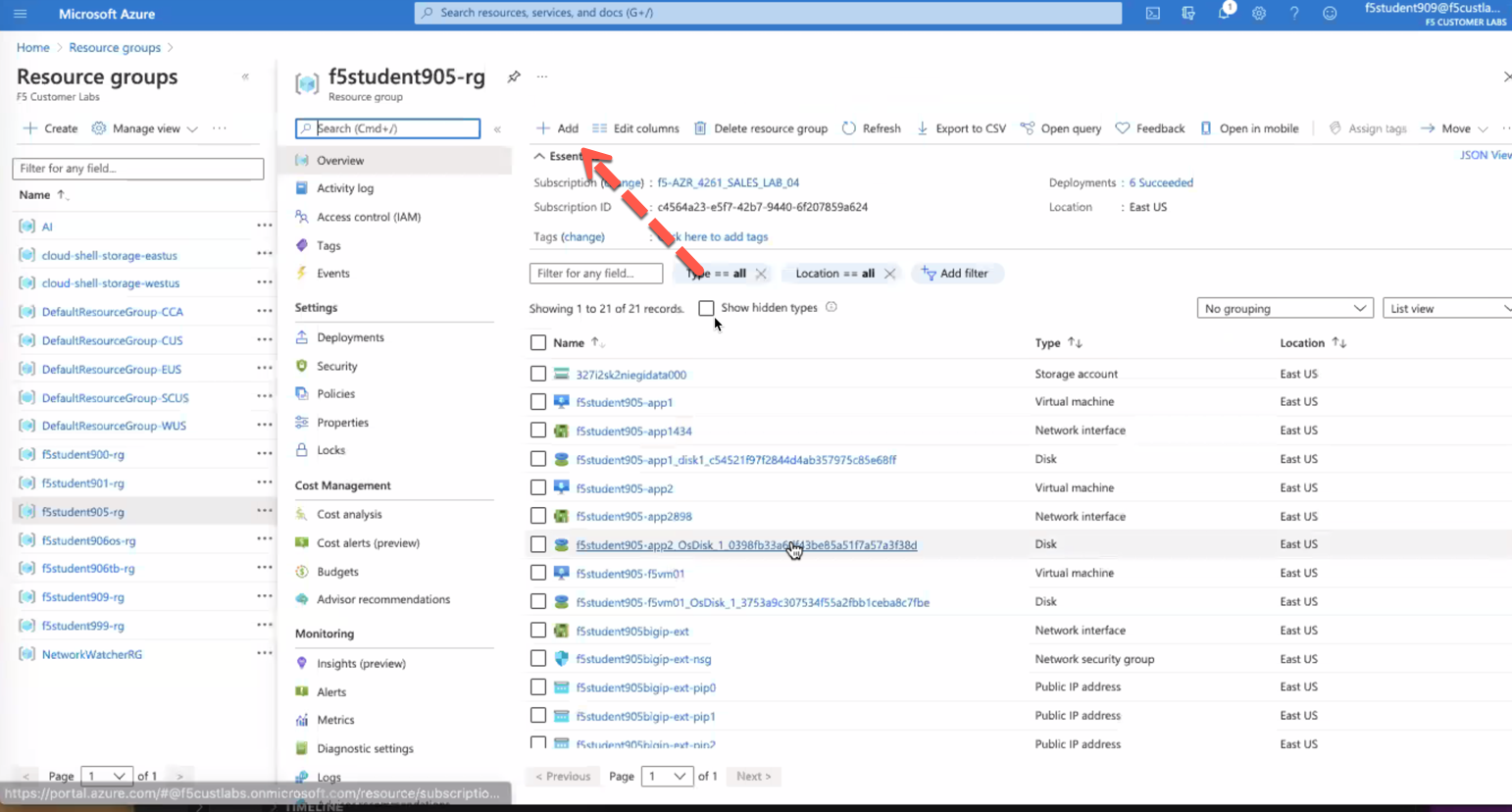
- Search for route table then click Create
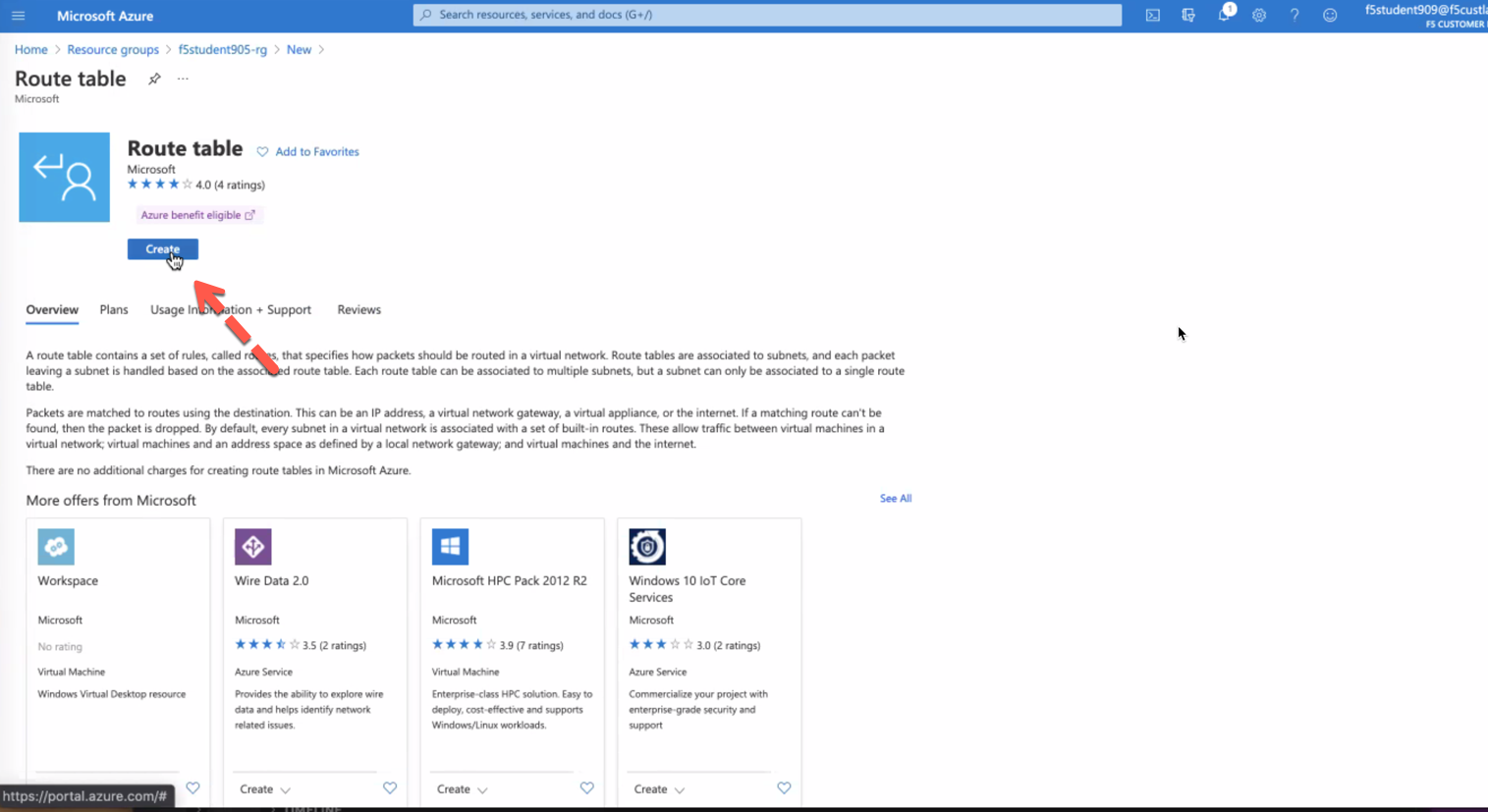
- complete route table with following values
Resource Group f5student#-rg Name f5student#-udr Propagate Gateway routes Yes 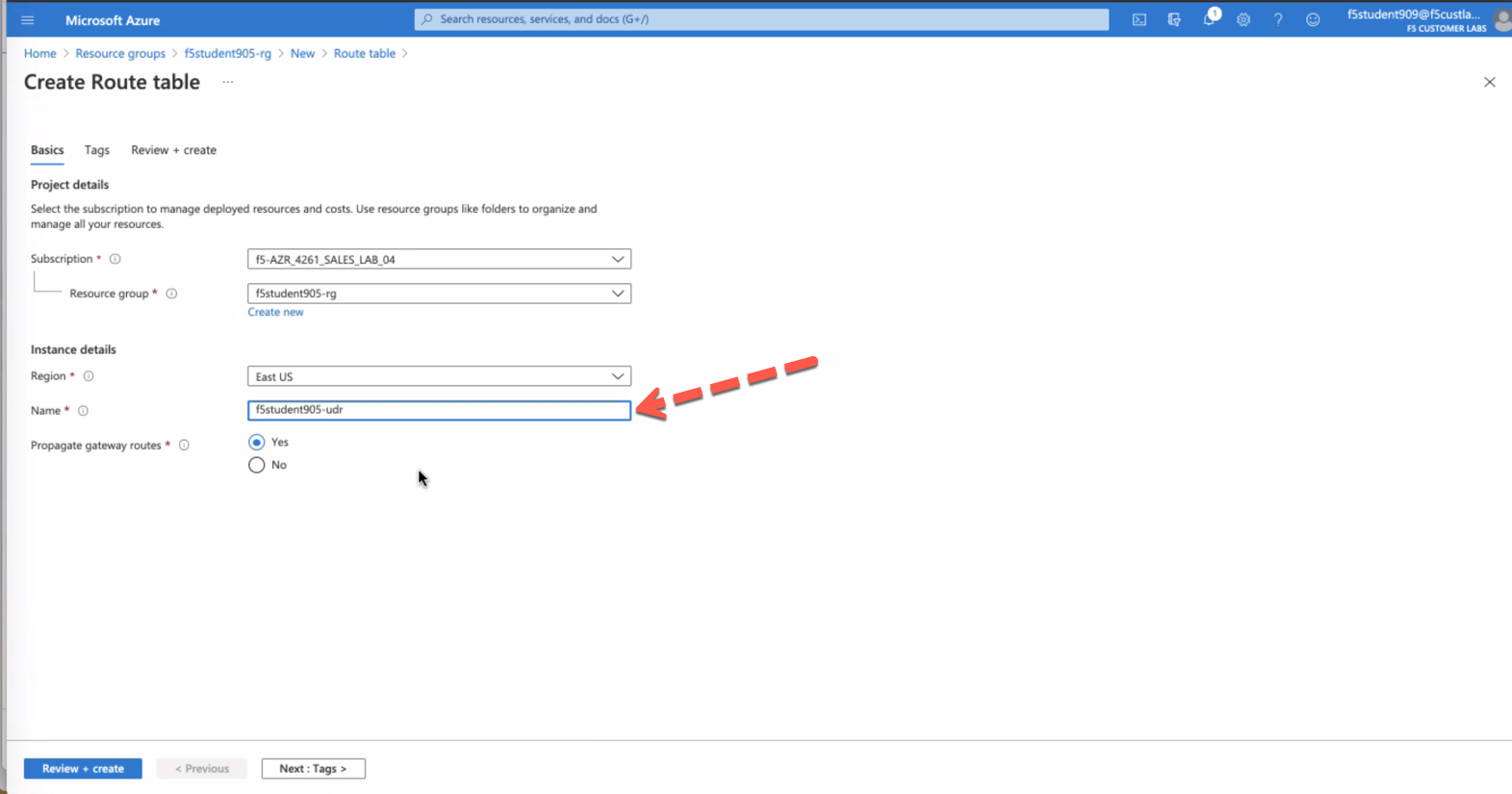
- click "Review + create" then Create
- after Deployment completed click "Go to resource"
- click Routes then Add
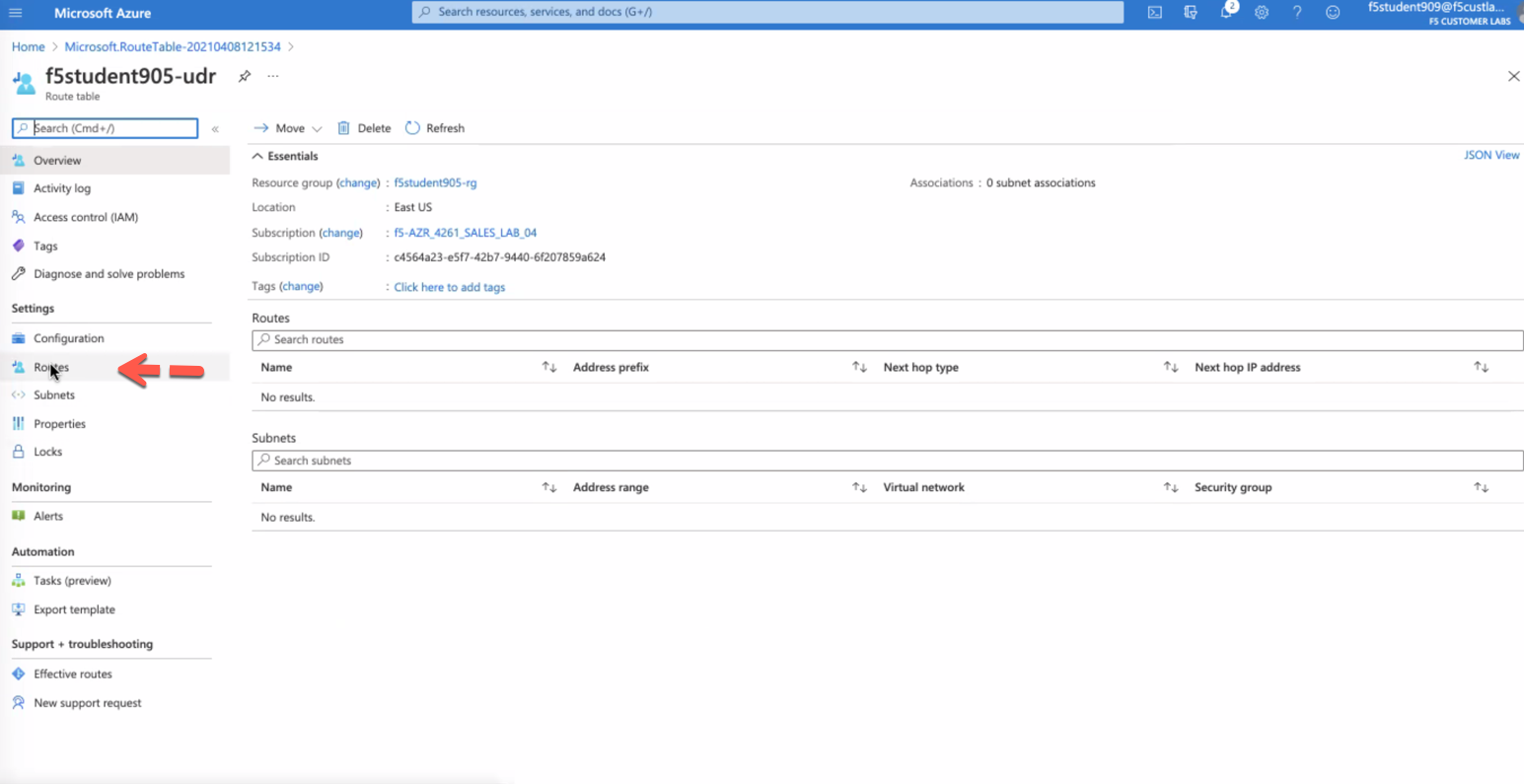
- Add Route using the following values
Route Name Default-AFM Address prefix 0.0.0.0/0 Next hop type Virtual Appliance Next hop address 10.0.3.4 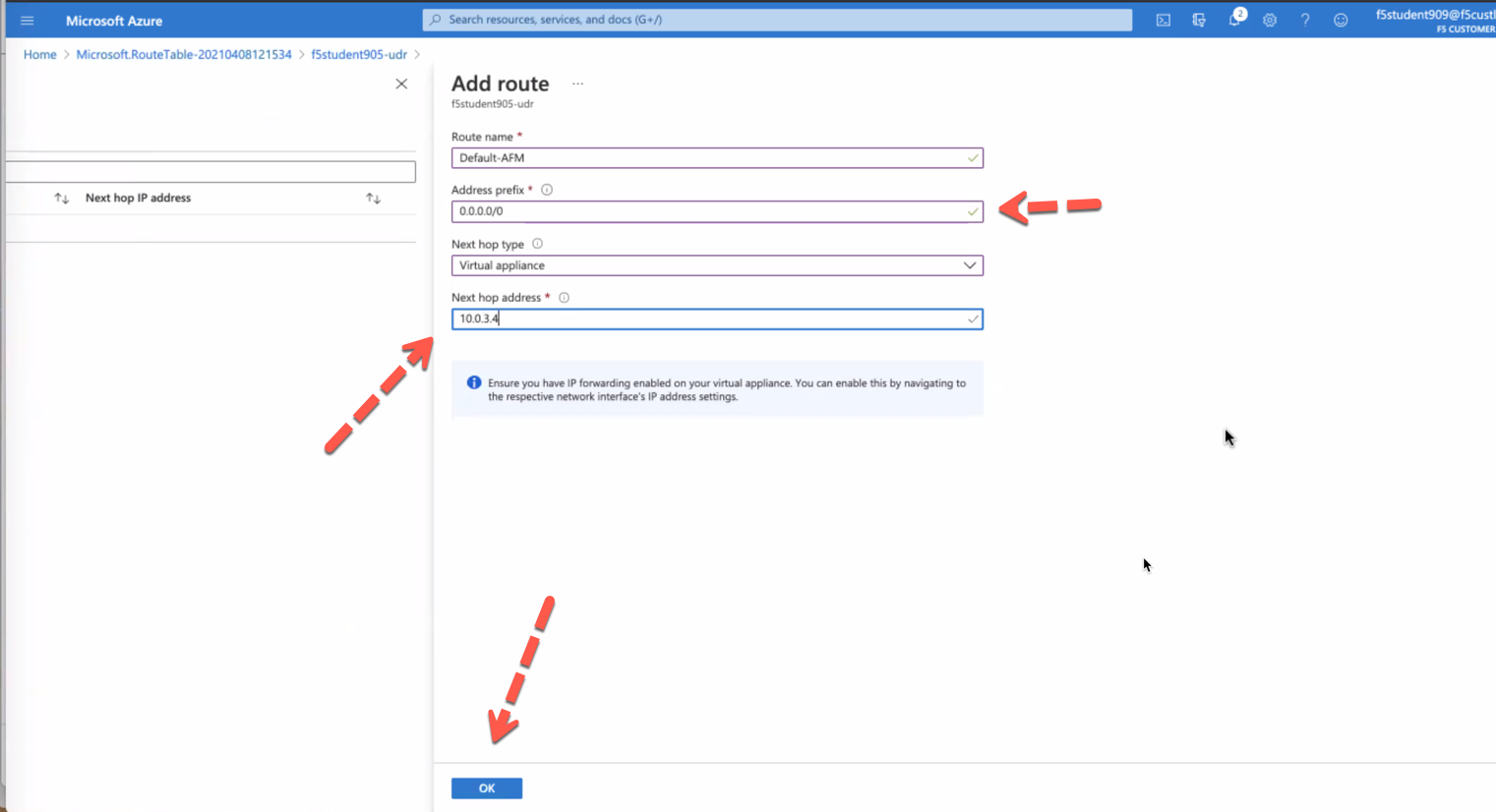
- click Subnets then Associate
- Add Subnet using the following values
Virtual network f5student#bigip-vnet Subnet internal 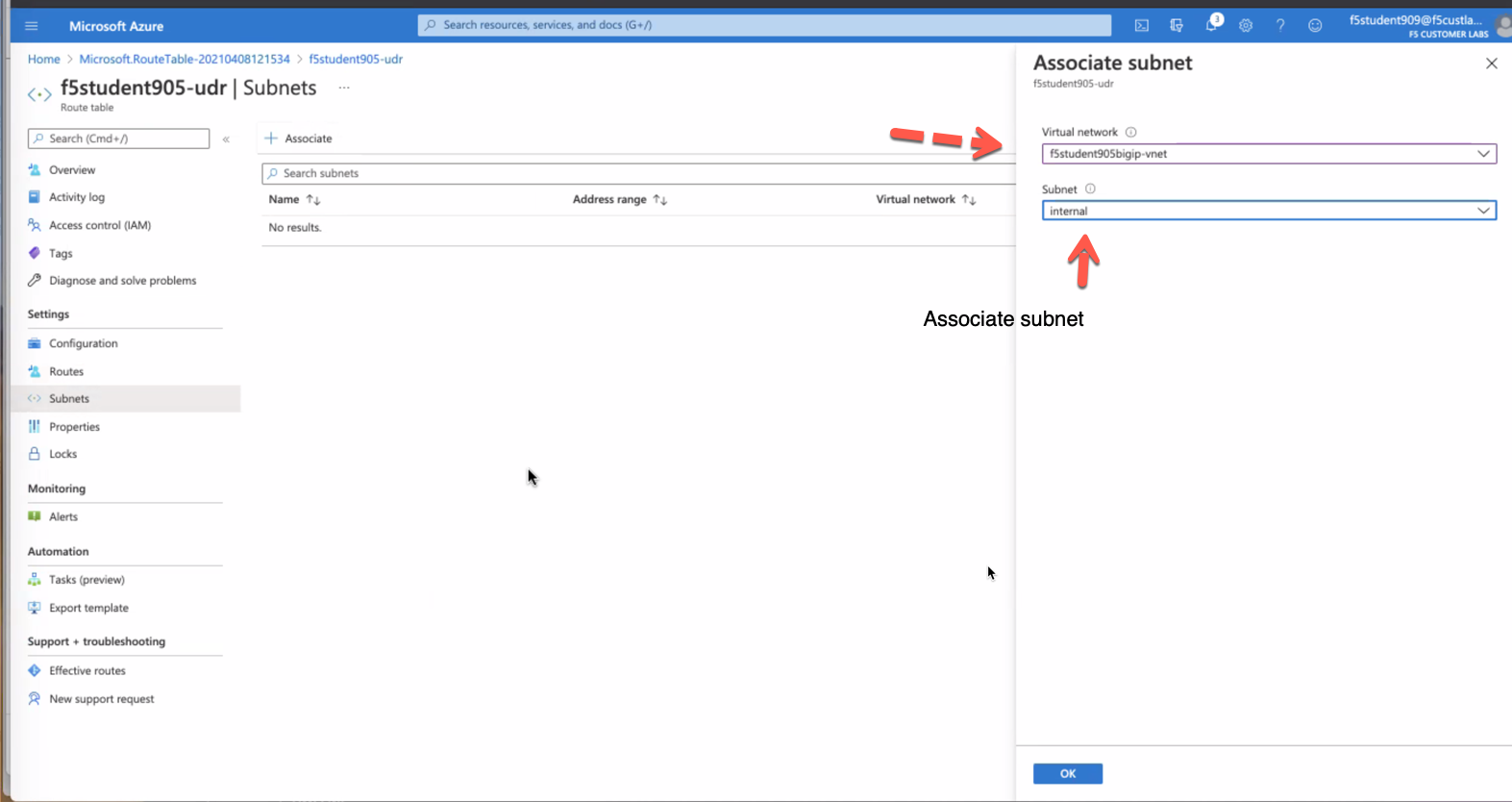
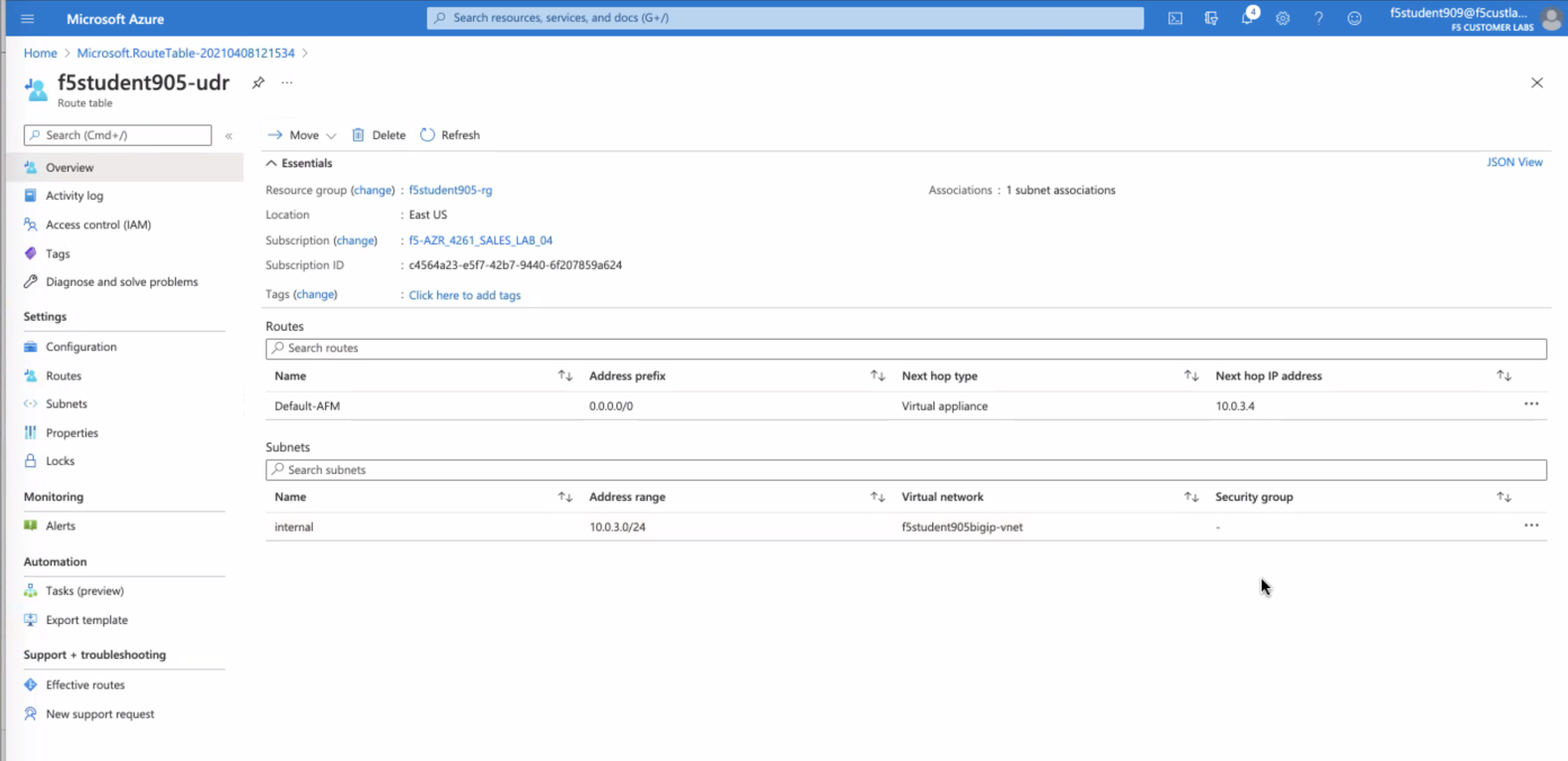
- click OK then Overview to ensure results match the image below
Confirm app1 and app2 can access internet via AFM
- browse to Azure f5student#-app1 and f5student#-app2 then select "Serial console"
- login: azureuser
- password: ChangeMeNow123!
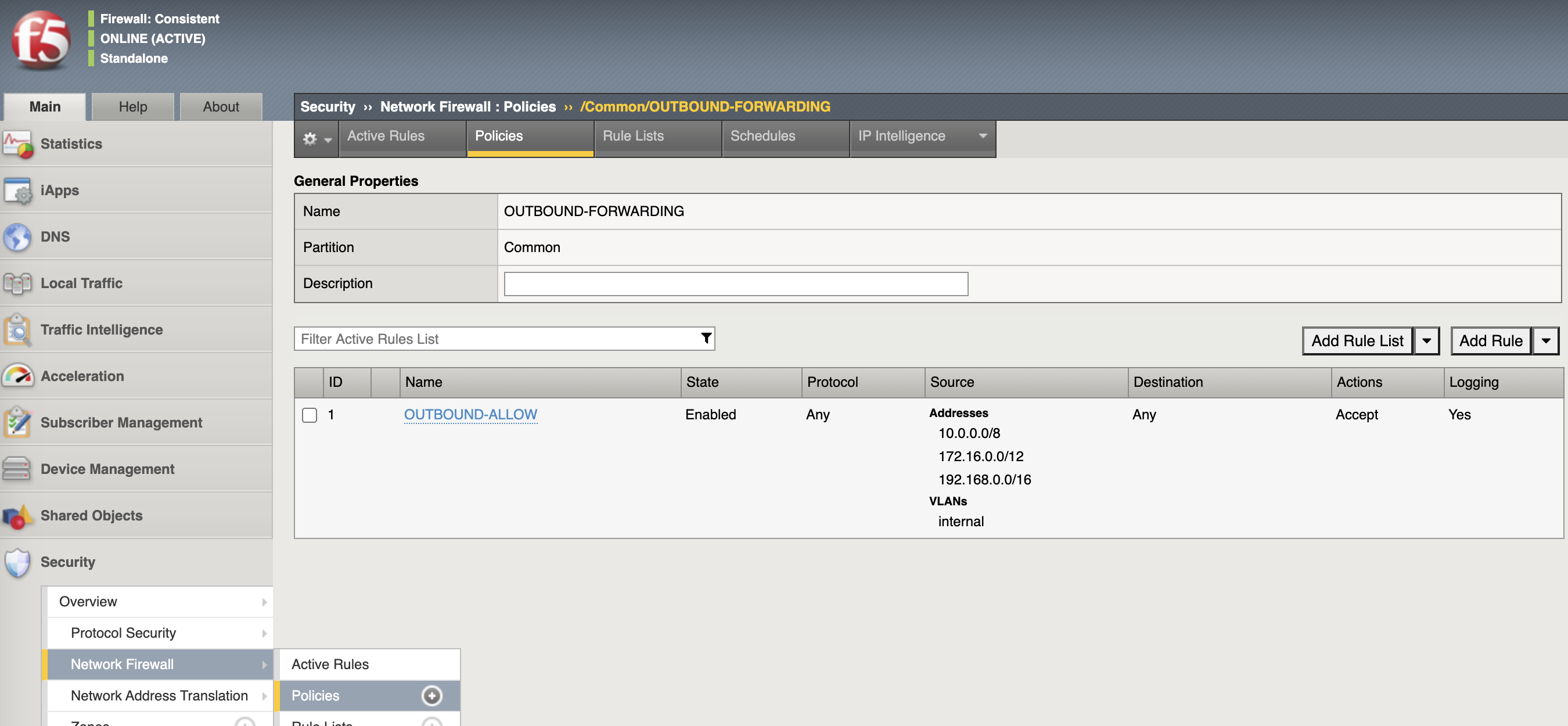
ping -c 3 google.com- browse to BIG-IP GUI Security->Network Firewall->Policies to review OUTBOUND-FORWARDING rules accept any
Demonstrate Egress filtering
Modify AFM to block outbound access
modify security firewall policy OUTBOUND-FORWARDING rules none
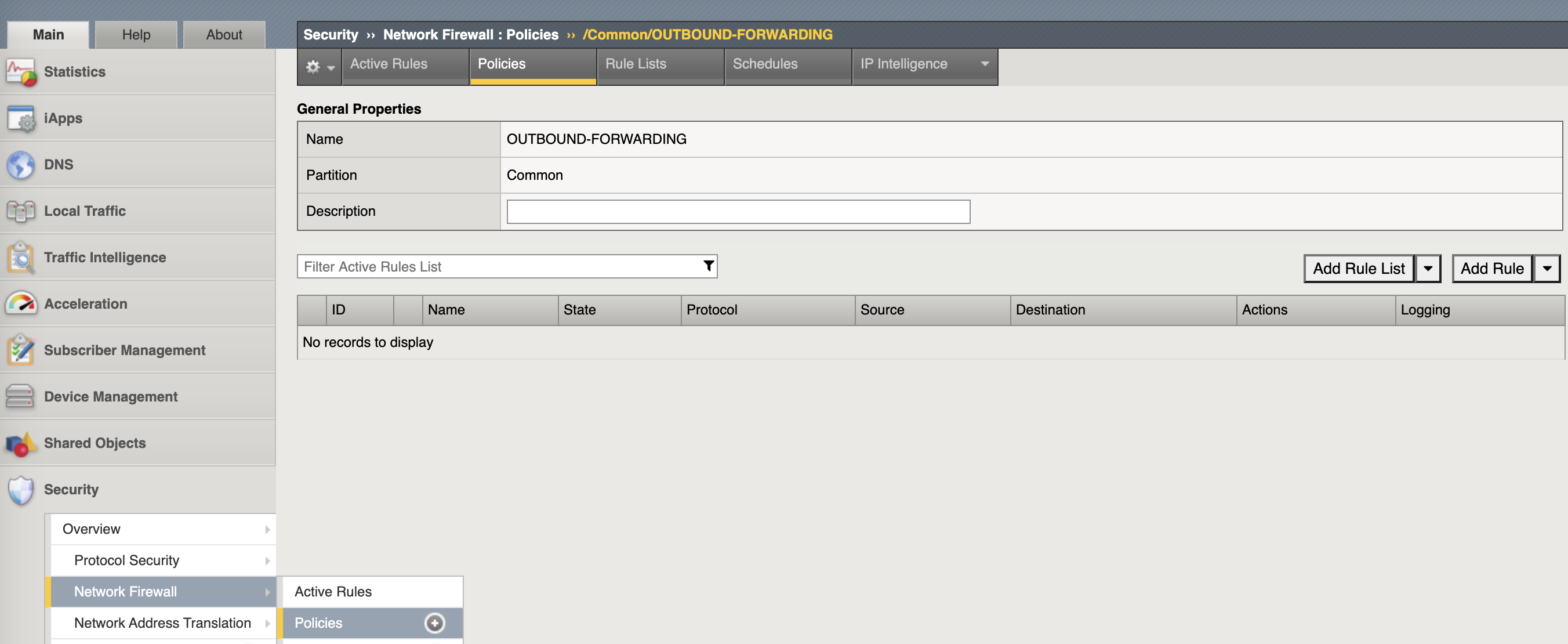
Confirm outbound access from app1 and app2 is now blocked
- Serial console to either app1 or app2 and type the following commands
ping -c 3 google.com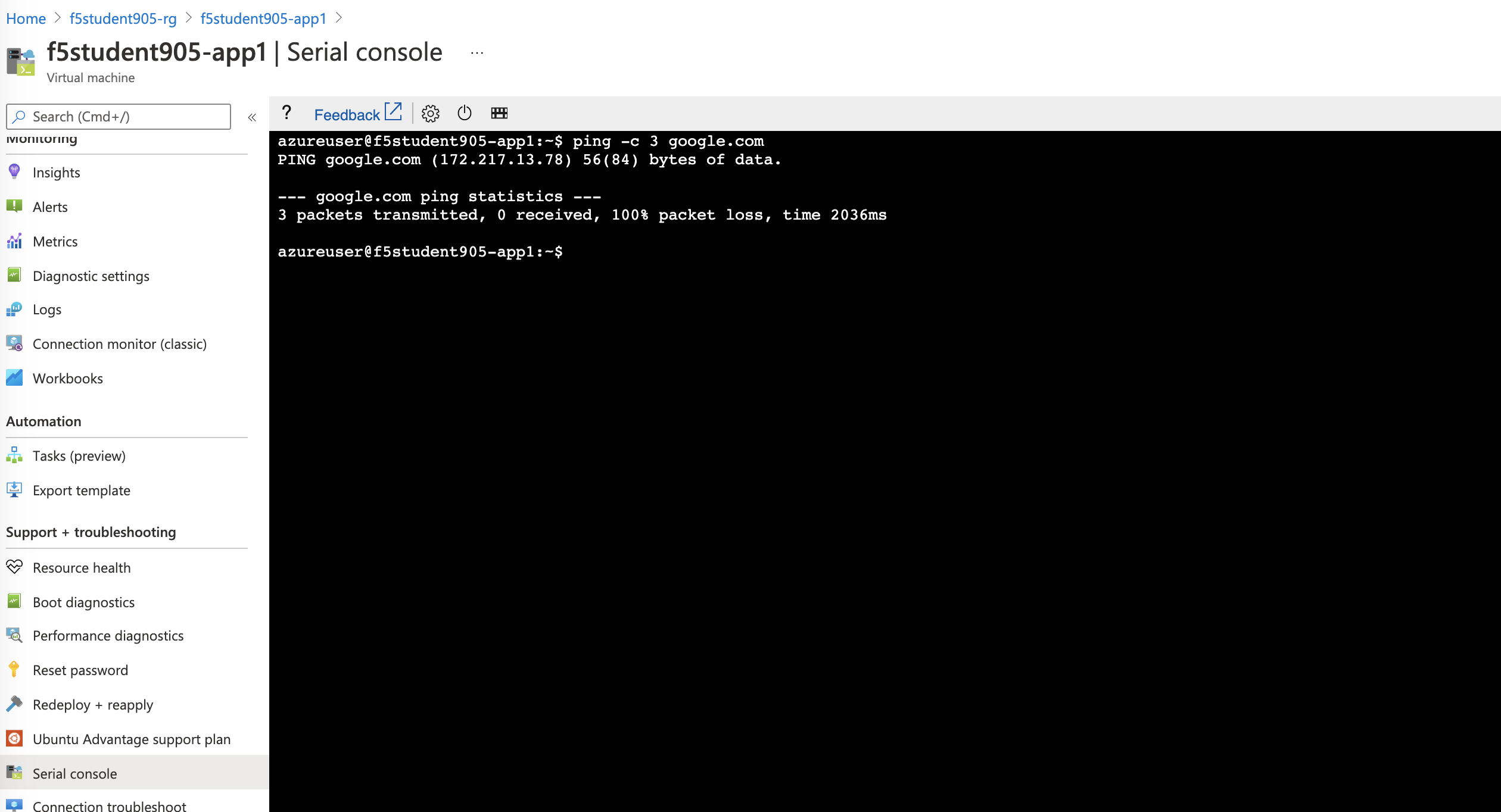
- This should result in 100% packet loss
- review security firewall policy OUTBOUND-FORWARDING rules allow none
Configure app1 and app2 to use the DNS Caching VIP
- On each App server update the systemd-resolved.conf to leverage our F5 DNS cache so that AFM FQDN resolution works correctly. Replace 10.0.3.4 with INTERNAL SELF if different
sudo su -c 'echo "DNS=10.0.3.4" >> /etc/systemd/resolved.conf && systemctl restart systemd-resolved.service'Modify AFM to whitelist specific hosts/ports/protocols/FQDN's (i.e. allow 80/443 to google.com and ICMP to CloudFlare DNS)
modify security firewall policy OUTBOUND-FORWARDING rules add { ALLOW-GOOGLE.COM { ip-protocol tcp source { addresses add { 10.0.0.0/8 172.16.0.0/12 192.168.0.0/16 } vlans add { internal } } destination { fqdns add { google.com www.google.com } ports add { 80 443 } } place-after first action accept log yes } }
modify security firewall policy OUTBOUND-FORWARDING rules add { ALLOW-CF-ICMP { ip-protocol icmp source { addresses add { 10.0.0.0/8 172.16.0.0/12 192.168.0.0/16 } vlans add { internal } } destination { addresses add { 1.1.1.1 1.0.0.1 } } place-after first action accept log yes } }
- review security firewall policy OUTBOUND-FORWARDING rules include whitelist
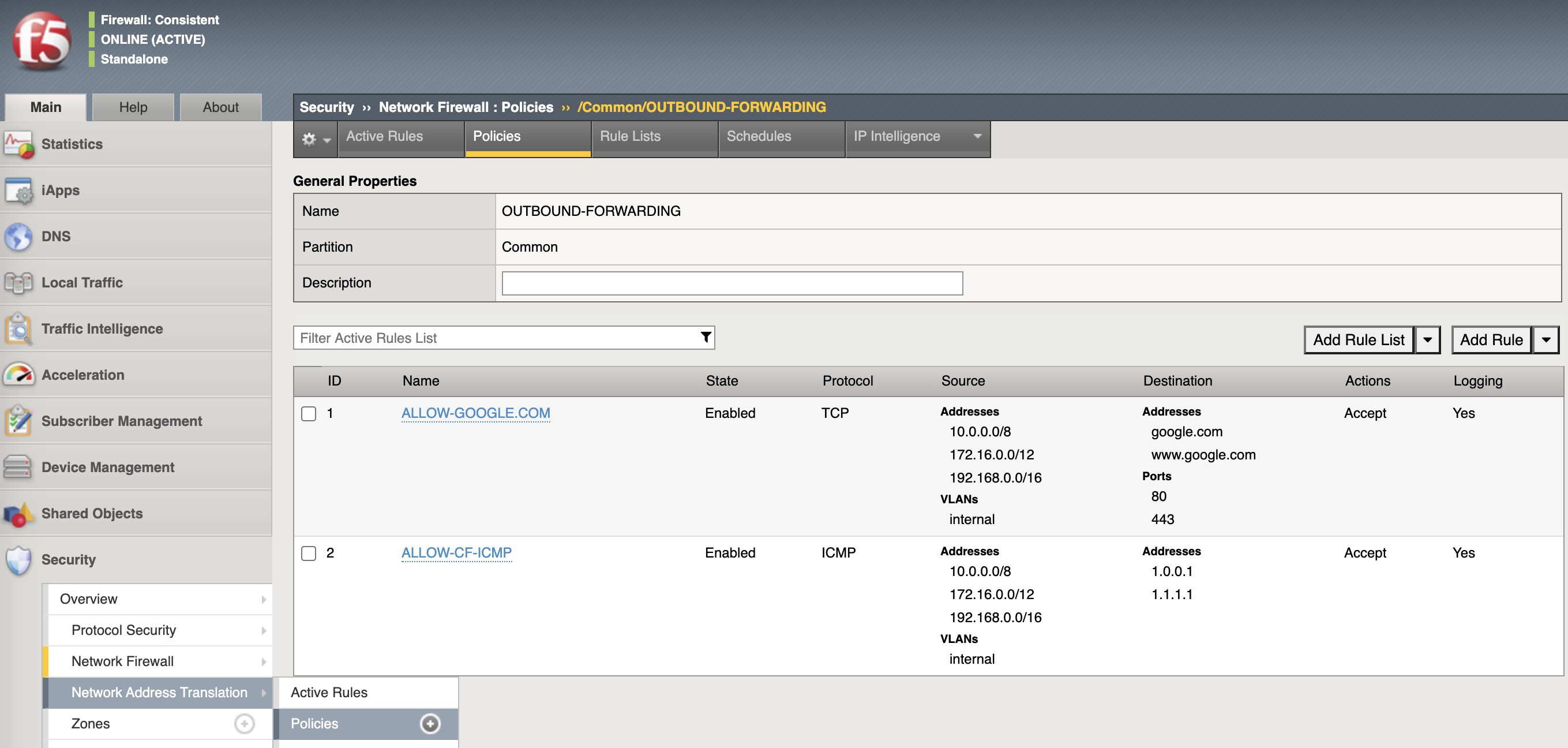
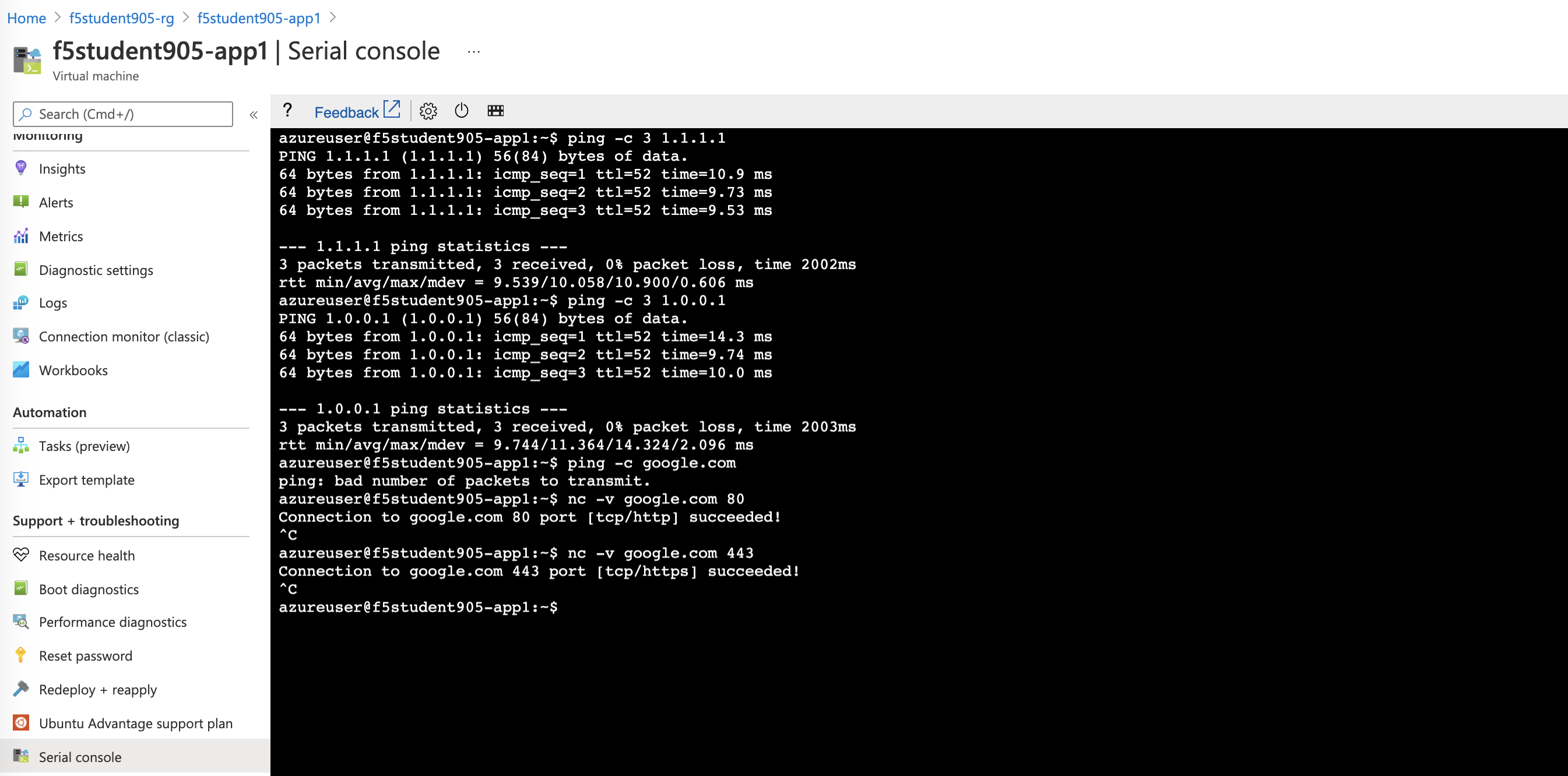
Confirm whitelist ruleset works as expected by testing from the either app1 or app2 servers
ping -c 3 1.1.1.1
ping -c 3 1.0.0.1
ping -c google.com
nc -v google.com 80
nc -v google.com 443
- ping to google will fail while the others commands match whitelist accept rules
Demonstrate Ingress NAT via AFM
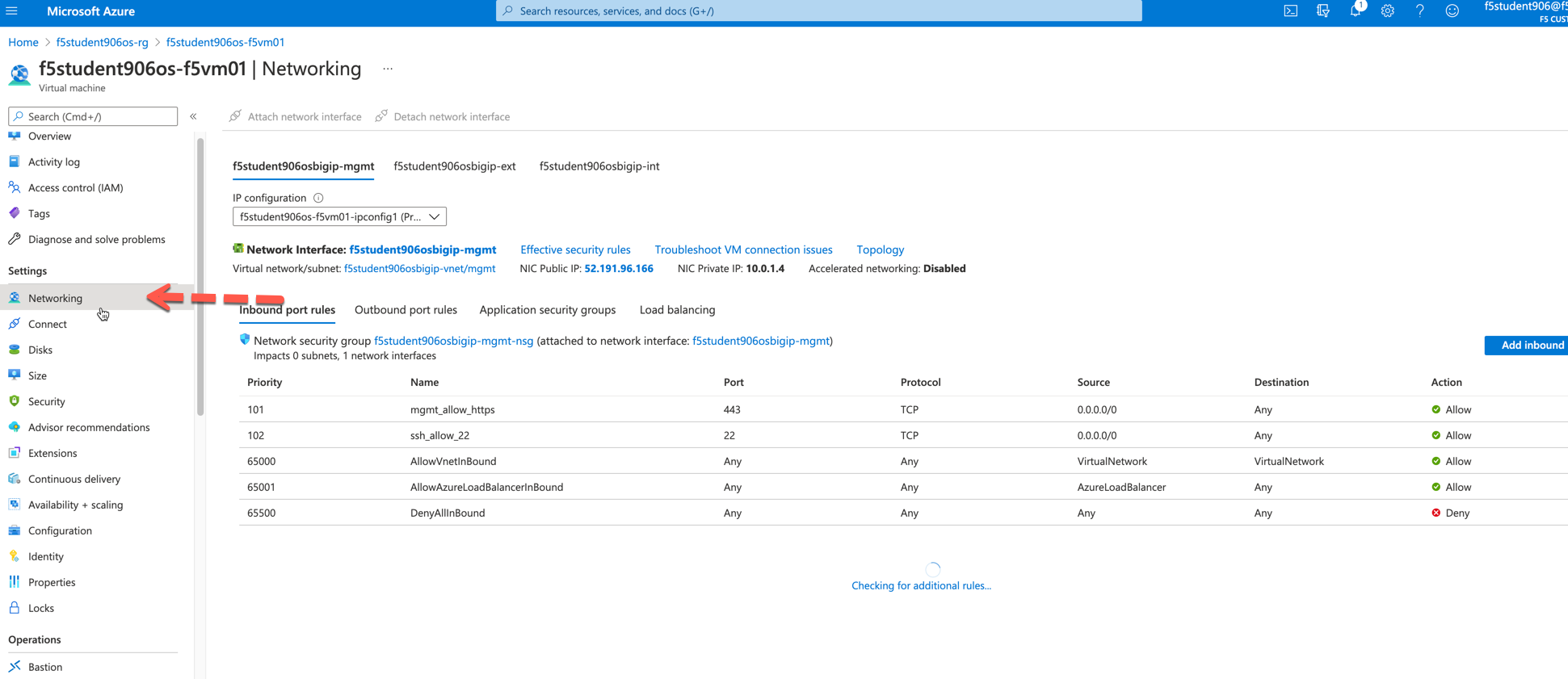
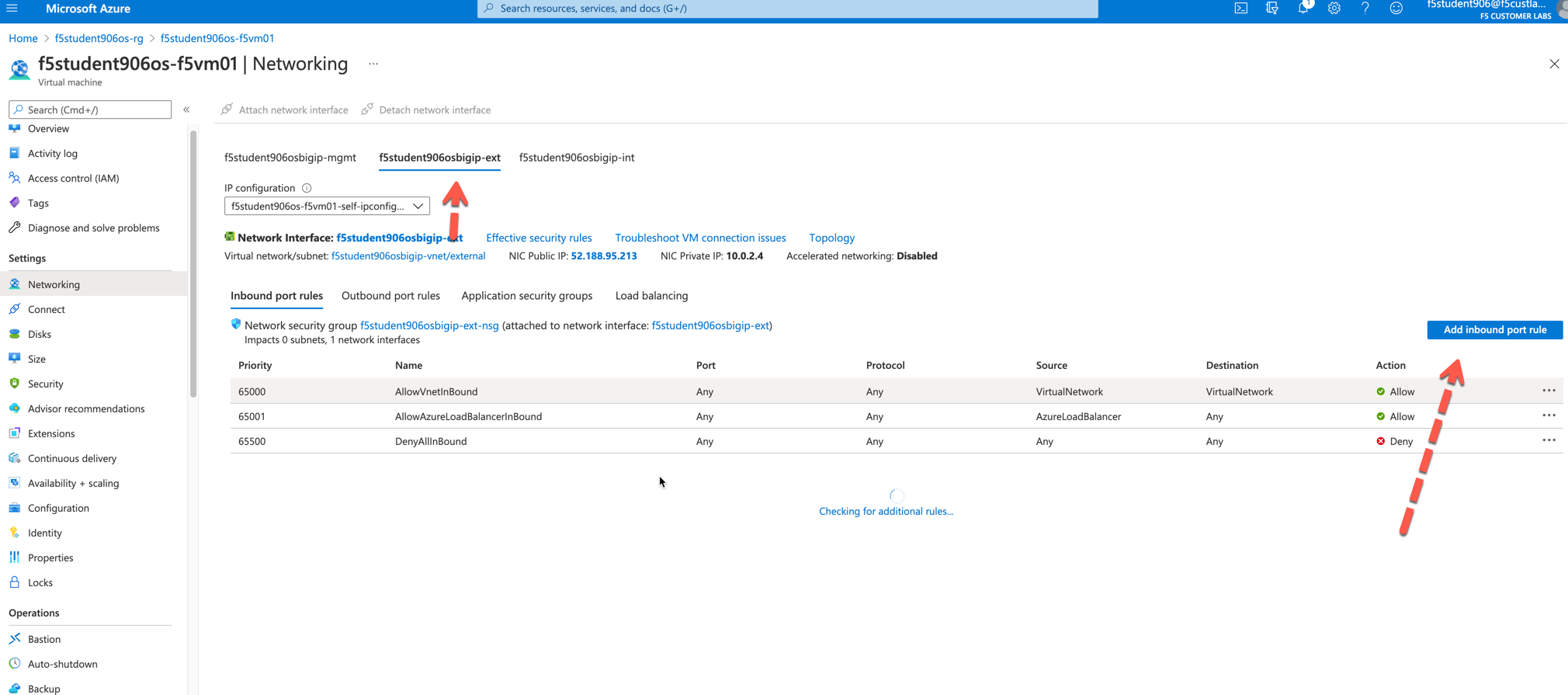
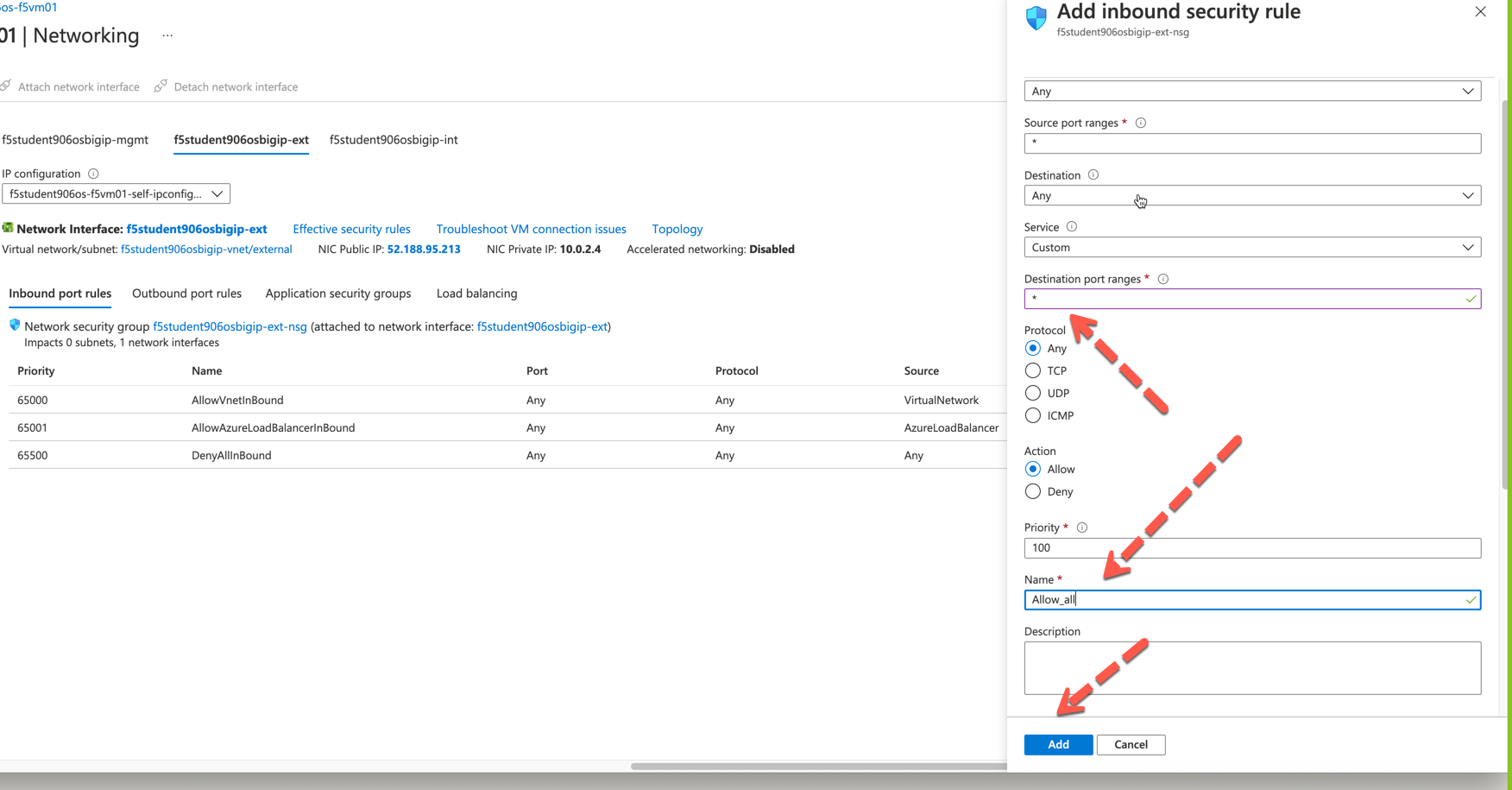
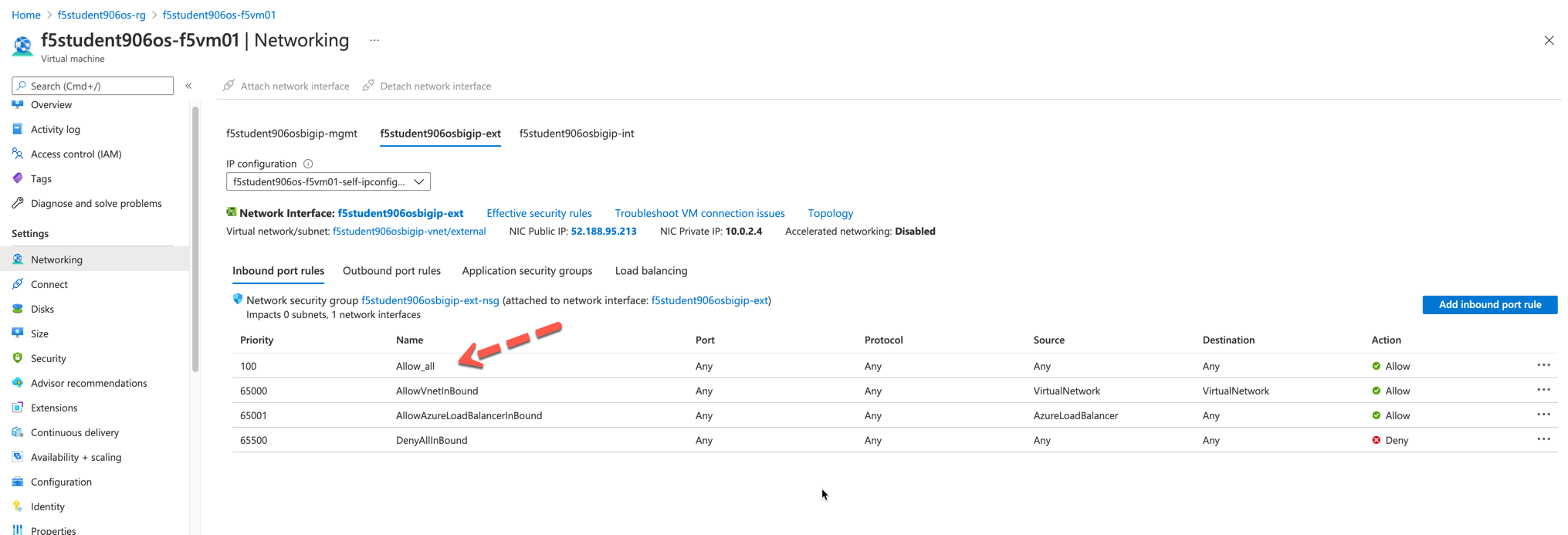
Ensure that the Public Interface NSG of the F5 Instance has a firewall rule allowing all ports and protocols.
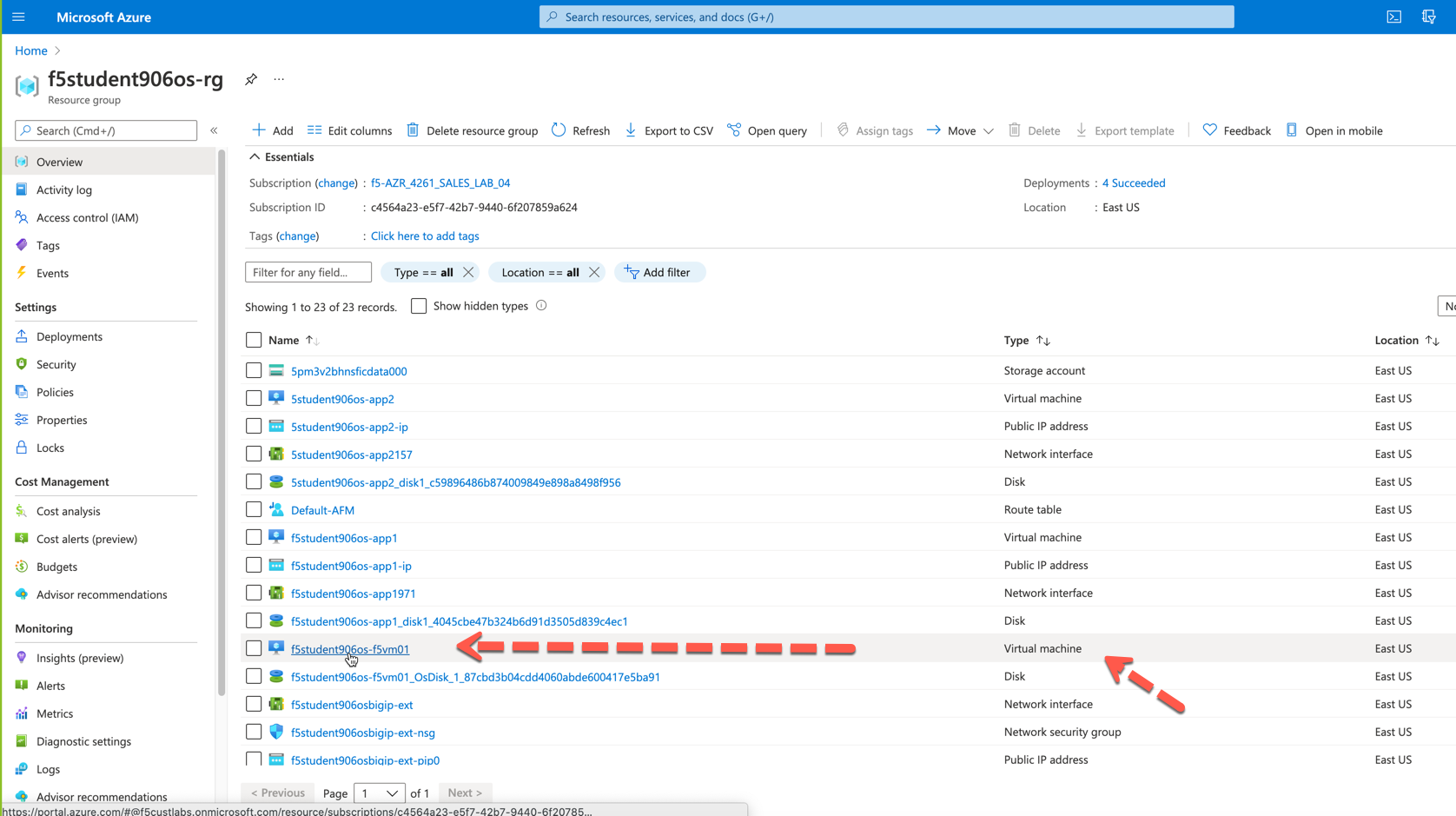
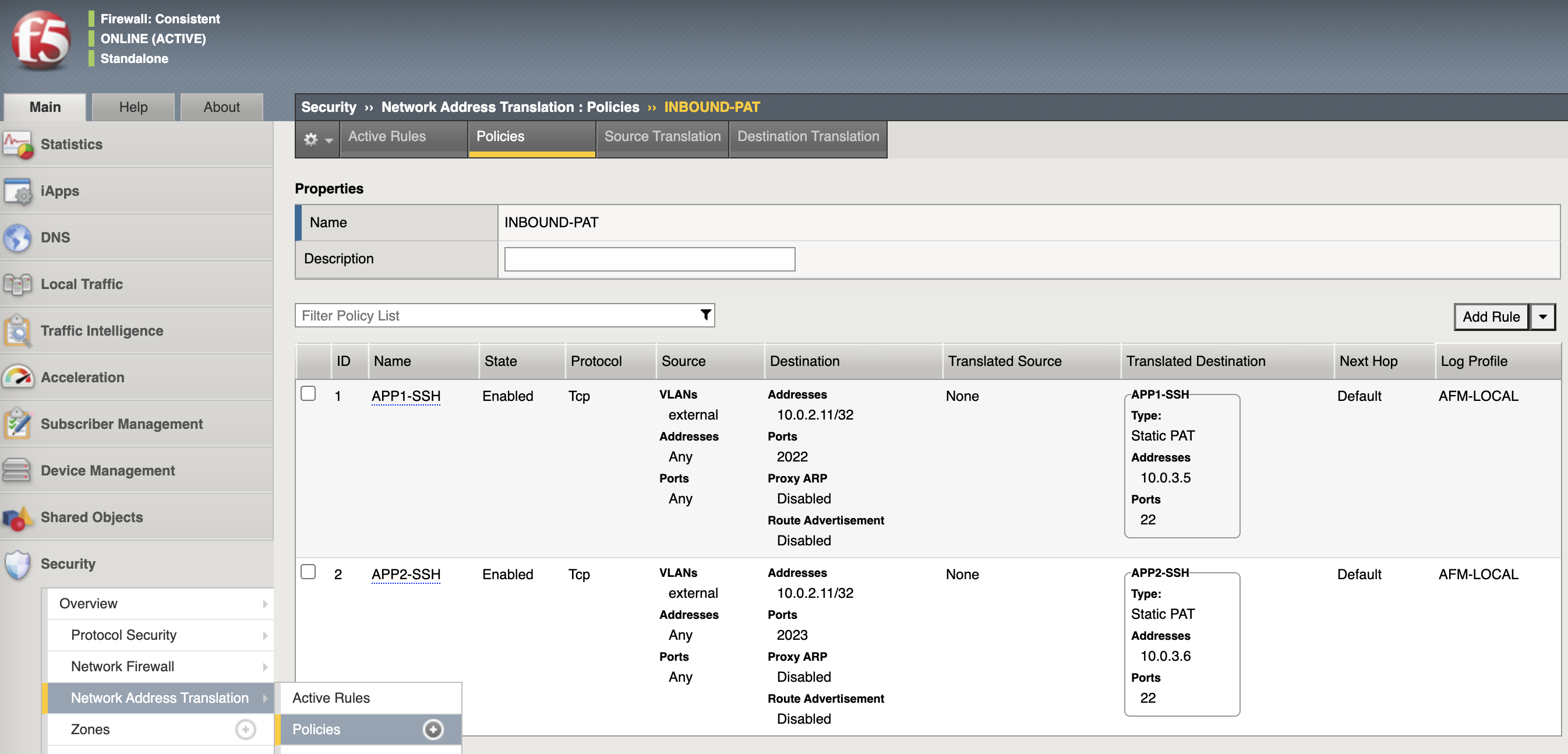
Configure AFM inbound port mappings for SSH to both App servers (i.e. TCP/2022 to app1, TCP/2023 to app2). The code below leverages the IP address assumptions: 10.0.3.5 = app1, 10.0.3.6 = app2, <10.0.2.11> = INBOUND-IP PAT PRIVATE. Replace with actual IP addresses captured in step 1 of Network Table if different. This step works best when using a text editor to replace code below with actual addresses.
create security nat destination-translation APP1-SSH { addresses replace-all-with { 10.0.3.5 { } } ports replace-all-with { 22 } type static-pat }
create security nat destination-translation APP2-SSH { addresses replace-all-with { 10.0.3.6 { } } ports replace-all-with { 22 } type static-pat }
create security nat policy INBOUND-PAT { rules replace-all-with { APP1-SSH { destination { addresses replace-all-with { <10.0.2.11>/32 { } } ports replace-all-with { 2022 } } ip-protocol tcp log-profile AFM-LOCAL source { vlans replace-all-with { external } } translation { destination APP1-SSH } } APP2-SSH { destination { addresses replace-all-with { <10.0.2.11>/32 { } } ports replace-all-with { 2023 } } ip-protocol tcp log-profile AFM-LOCAL source { vlans replace-all-with { external } } translation { destination APP2-SSH } } } }
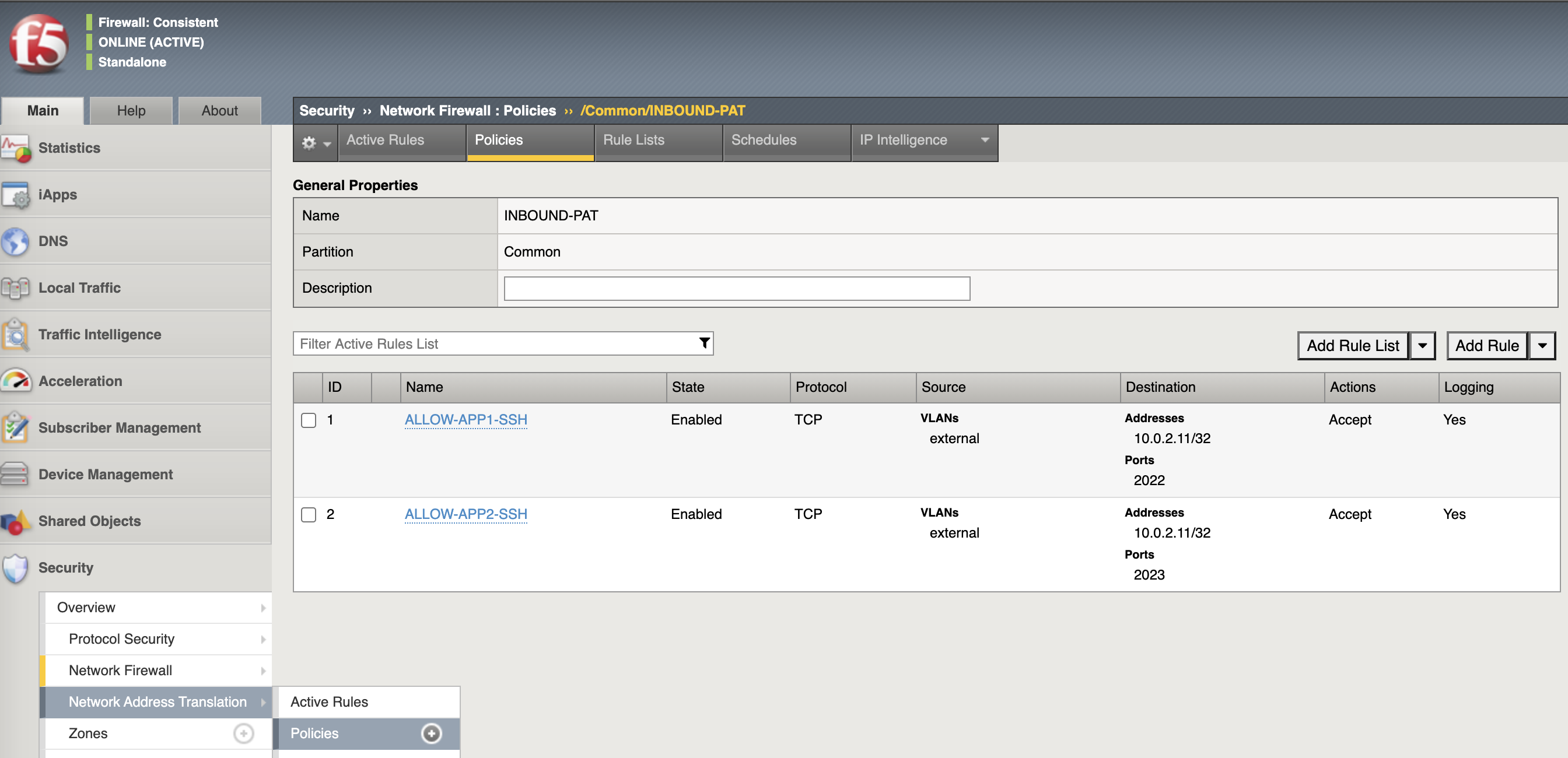
Configure matching AFM firewall rules to allow traffic through the NAT and create inbound forwarding VS. Replace <10.0.2.11> = INBOUND-IP PAT PRIVATE. Replace with actual IP addresses captured in step 1 of Network Table if different. This step works best when using a text editor to replace code below with actual addresses
create security firewall policy INBOUND-PAT { rules replace-all-with { ALLOW-APP1-SSH { action accept ip-protocol tcp log yes destination { addresses replace-all-with { <10.0.2.11>/32 } ports replace-all-with { 2022 } } source { vlans replace-all-with { external } } } ALLOW-APP2-SSH { action accept ip-protocol tcp log yes destination { addresses replace-all-with { <10.0.2.11>/32 } ports replace-all-with { 2023 } } source { vlans replace-all-with { external } } } } }
create ltm virtual VS-FORWARDING-INBOUND { destination 0.0.0.0:any mask any ip-forward fw-enforced-policy INBOUND-PAT profiles replace-all-with { fastL4 } security-nat-policy { policy INBOUND-PAT } vlans-enabled vlans replace-all-with { external } }
Validate configuration from outside of the F5, show logs on AFM. Replace <INBOUND-IP PAT PUBLIC> with actual IP addresses captured in step 1 of Network Table if different.
nc -v <INBOUND-IP PAT PUBLIC> 2022
nc -v <INBOUND-IP PAT PUBLIC> 2023
ssh -p 2022 azureuser@<public ip>
ssh -p 2023 azureuser@<public ip>